A simple start. A smoother day.
Install DockDart. Choose what you need. Make your Dock work for you.
No account required · macOS 14 or later
Three steps to an easier Dock.
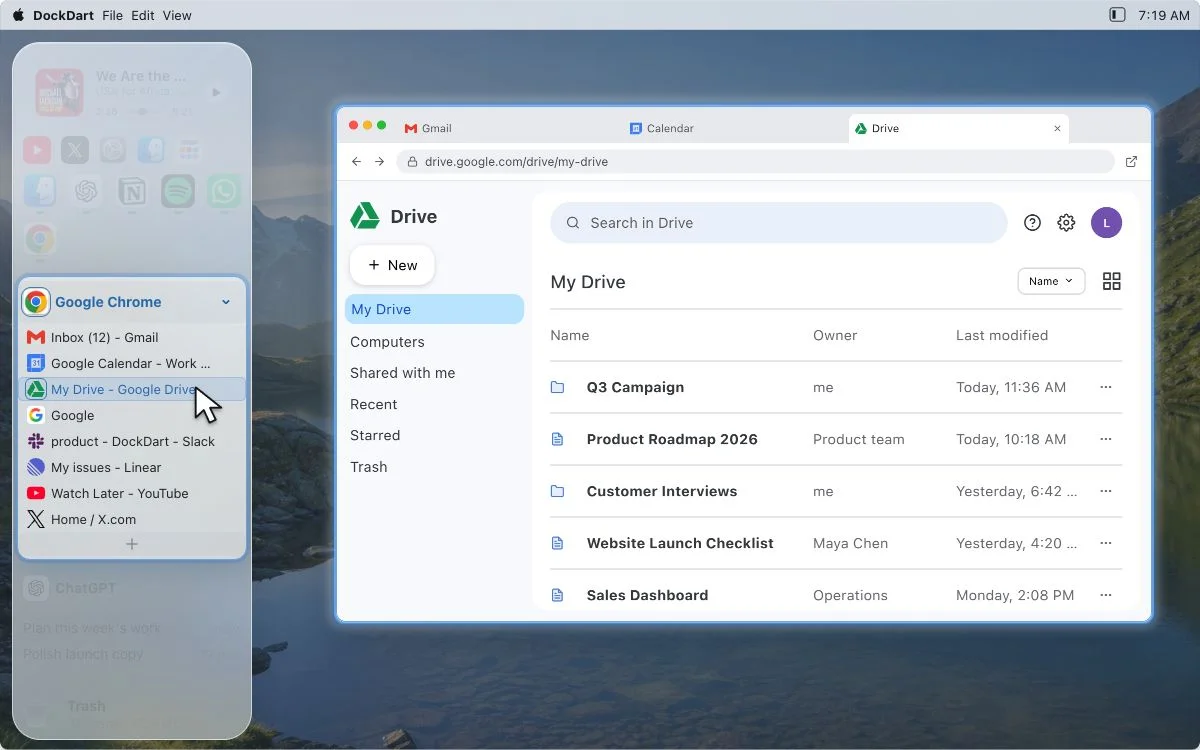
You do not need the whole manual first. Install DockDart, open one destination, and put today's most-used action within reach.
- 01
- 02
Open it. Pick a destination.
Launch DockDart from Applications. Choose an app, tab, file, or everyday action.
Try the online demo first - 03
Allow access when needed
Follow the permission prompt for the cross-app feature you choose. You can turn access off later.
Read about permissions
Only the access you need.
System access is requested only when you use the related feature. Refusing a permission affects only that feature; background scans, scheduled refreshes, and hover preloading do not open prompts.
- 01
Accessibility & Automation
Used for cross-app actions you request, such as switching windows and browser tabs. Access is requested when you choose a feature that needs it. You can review or disable it later in macOS System Settings.
- 02
Full Disk Access & background access
Full Disk Access supports protected files, notification badges, tab icon caching, and deep uninstall; file contents are not uploaded. Background access lets a local helper handle protected items only after you confirm a deep uninstall. Read each prompt before deciding.
- 03
Why isn't DockDart on the Mac App Store?
DockDart works across applications, and some features cannot be fully provided inside the strict Mac App Store sandbox. The distributed Mac app is signed and notarized with Apple Developer ID. Download it from the official website and follow the normal macOS installation flow.
Start free. Take your time.
Use every free feature first. When you need Browser Tabs, try the full module for 30 days before deciding on Pro v1.
- $0
Free forever
Every current feature except Browser Tabs stays free.
- 30 days
Full trial
Try Browser Tabs without a usage limit before buying.
- $9.99
One-time Pro v1
Founding price, activate on up to three personal Macs. Dodo Payments sends your receipt and license email.
Stuck installing, activating, or requesting a refund?
Send us the problem and we will start with the most direct troubleshooting step.
- 01
support@dockdart.com
Include your DockDart version and a short description. Purchases have a 30-day, no-questions-asked refund policy. For purchase questions, include your purchase email and Dodo Payments order number; do not send full card details or private files.
Send email